
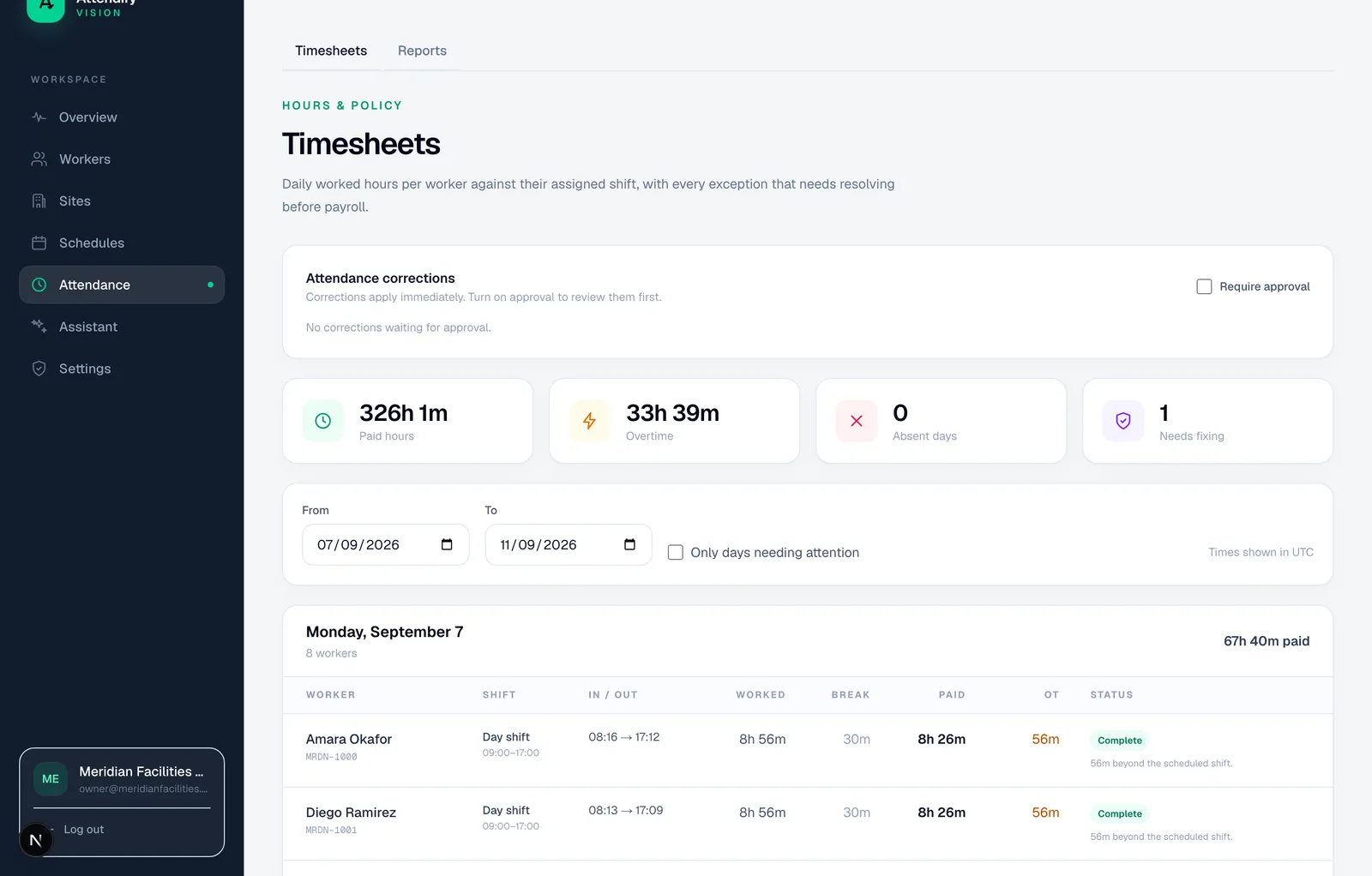
Turn in-and-out records into a daily account
Attendify’s timesheet engine pairs attendance events, applies the configured schedule and includes reasoned corrections. It distinguishes worked minutes, break deductions, calculated paid minutes and configured overtime. An open shift does not gain an invented checkout time.
A missing check-in, missing checkout or broken sequence creates an exception. Days with blocking exceptions are excluded from the policy-based payroll export until resolved. That exclusion is a software safeguard; the employer must still investigate genuine work and meet applicable pay obligations.
Keep an overnight shift together
A scheduled 22:00–06:00 shift spans two calendar dates. The engine attributes matching events to the work date on which the shift starts. It uses local-time schedule windows rather than blindly splitting every event at midnight.
Illustrative example: a complete eight-hour shift with a configured 30-minute unpaid break produces 480 worked minutes, 30 break minutes and 450 calculated paid minutes. This is arithmetic under a configured rule, not a recommendation that the break is legally unpaid.
See the exception instead of guessing
Scroll the table sideways to read all columns.
| Situation | Review outcome |
|---|---|
| No checkout | Open segment and missing-checkout exception |
| Late arrival | Lateness calculated against the schedule and grace setting |
| Work on a configured rest day | Rest-day work and configured overtime treatment |
| Supervisor supplies a missing punch | Correction contributes to calculation while original evidence remains |
Schedules can be fixed, flexible, roster-based or split. Break deductions are applied to the day’s calculated work rather than blindly repeated for every captured segment. Overtime figures follow the configured daily engine; they do not establish weekly statutory overtime or wage rates.
Review before export
Check the local work date, schedule, corrections, blocking exceptions and payroll ID. Then inspect the export summary. Attendance review, correction approval and payroll authorization are separate responsibilities: Attendify’s correction queue is not a finalized-payroll lock or a blanket sign-off on every timesheet.
The payroll team remains responsible for wage valuation, local rules, receiving-system validation and handling unresolved exceptions before payment.