
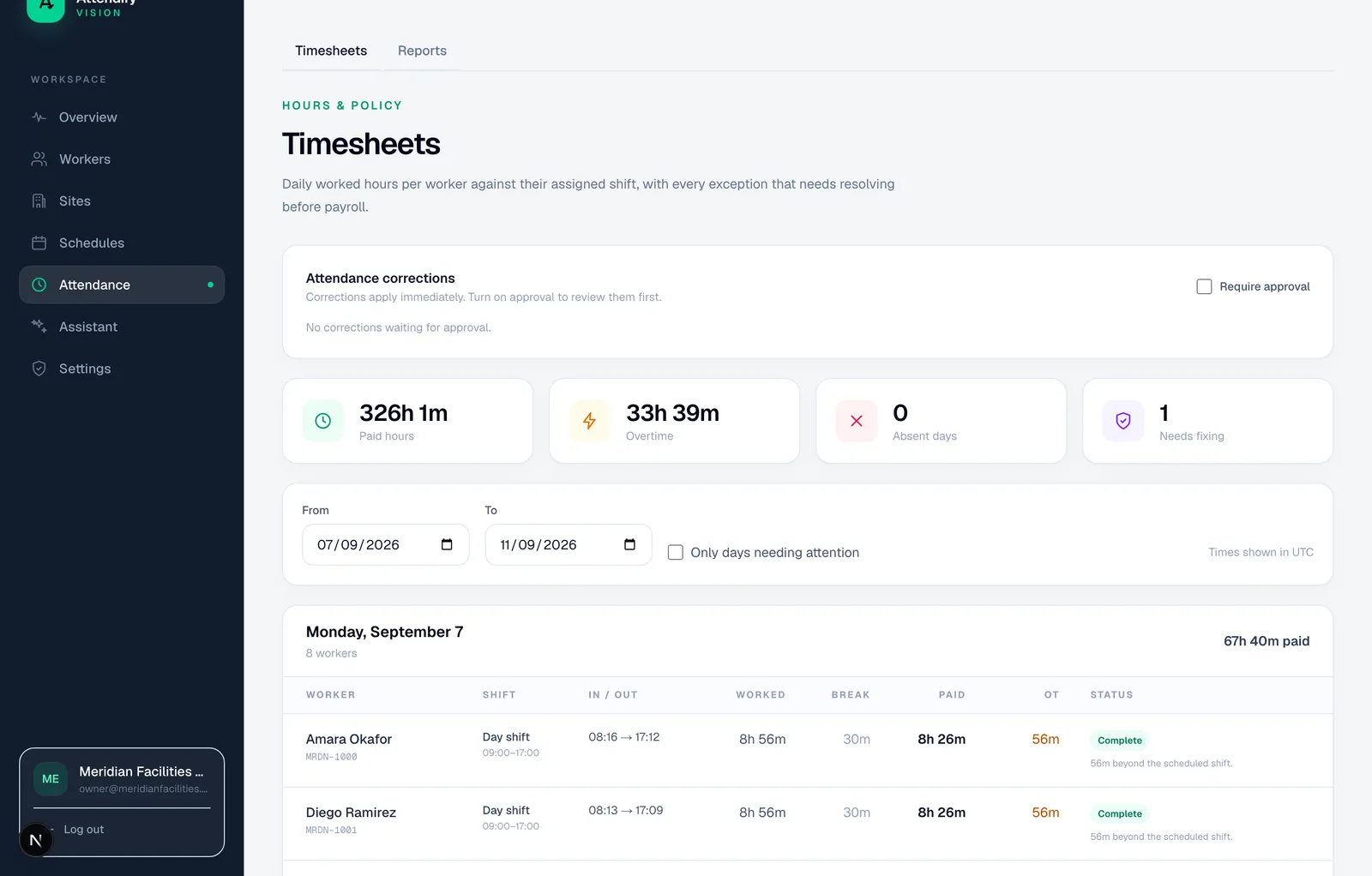
Review the hours, then choose the file
The payroll export uses the same daily calculation as automatic timesheets: paired punches, overnight shifts, break deductions, overtime and applied corrections. A day with a blocking exception, such as a missing check-out, produces no export rows until it is resolved. An open shift is never quietly turned into a plausible eight hours.
Ten export formats
Scroll the table sideways to read all columns.
| Format | Receiving system | Keyed on |
|---|---|---|
| SAP CATS timesheet | SAP ERP / S/4HANA | Personnel number |
| SuccessFactors External Time Data | SAP SuccessFactors | Payroll ID |
| Oracle HCM Time & Labor | Oracle HCM Cloud | Person number |
| Workday inbound EIB | Workday | Employee ID |
| ADP Workforce Now | ADP Workforce Now | File Number |
| Gusto time import | Gusto | Gusto employee ID |
| QuickBooks Time | QuickBooks Time | Employee name |
| Deel time import | Deel | Worker ID |
| Generic CSV | Any system or data warehouse | All fields |
| Generic JSON | Any system | All fields plus the exception list |
Starter includes timesheet CSV and PDF export. The named layouts are on Growth, and the REST API, signed webhooks and custom layouts are on Enterprise. Named layouts are files shaped for each system's own import. They are not certified or partner connectors, and your receiving system still validates them. A custom layout lets you choose the columns, their order, header text, delimiter and date format.
Keep worker identity explicit
The ID a worker logs in with and the ID payroll knows them by are different fields. Named layouts use the payroll ID. Workers without one are listed as unmapped and left out of those files, so nobody's hours go to the wrong person. The generic exports include everyone.
For example, if two workers have complete eight-hour days and one lacks a payroll ID, a named-format file contains only the mapped worker. The export summary shows the other, so the reviewer accounts for both before calling the handoff done.
Files, API or webhooks
- Download a file for a period from the dashboard, or produce PDF and Excel reports for people.
- Pull raw accepted punches from the REST API as paginated JSON or CSV (Enterprise). These are events, not reviewed daily hours.
- Receive signed webhooks (Enterprise), delivered every minute with retries and backoff when your endpoint fails.
Reconcile with the receiver
Check record count, worker count, work dates, hours and exclusions against what your payroll system reports after import. Decide how a corrected period is reissued without paying twice. A downloaded file, or a delivered webhook, isn't proof of a successful import.