
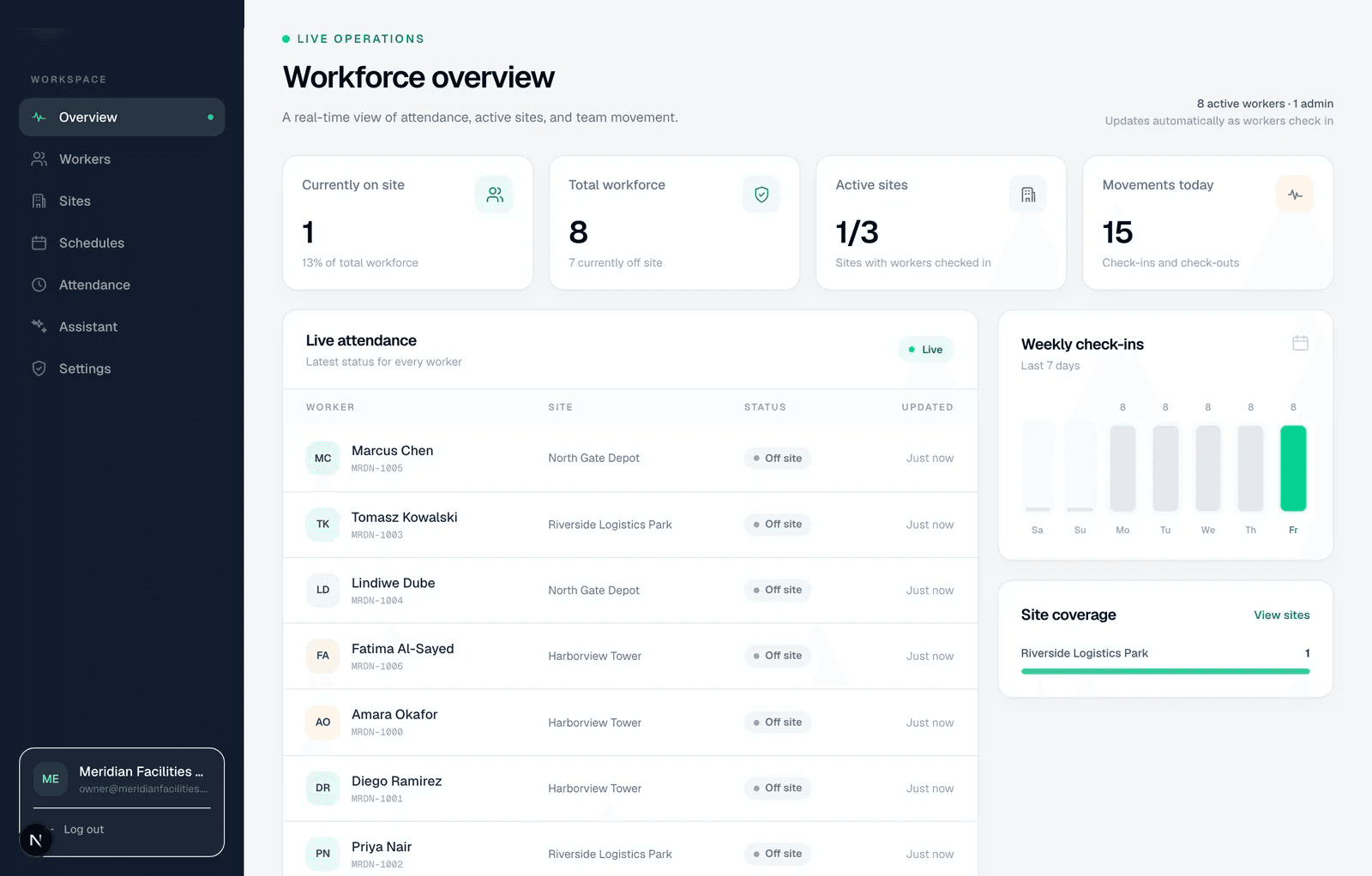
One view across every site
When crews work across many locations, the first question each morning is who has arrived where. Attendify's live dashboard shows accepted check-ins and check-outs for every site you can access, updating as punches arrive, so nobody has to chase site supervisors by message.
Each site has its own geofence, timezone and settings. Workers belong to a site, and you can organise them further into branches and departments for setup, reporting and imports.
Plan the day, then compare it with what happened
Work rules and published rosters say who is expected where and when, including rotating and split shifts. A roster period can carry coverage targets, so you can compare assigned people against required people per site.
As punches arrive, Attendify compares them with the plan and flags what needs a human: a missing check-out, work on a rest day, a second session in one day, or too little rest between shifts. The flags collect in one review inbox with any pending correction requests, so exceptions from all your sites are handled in one place.
Give each manager the right sites
Capabilities separate viewing, correcting, approving and exporting attendance. A site manager can be limited to the sites they run, while payroll sees the whole company. Review the roles and permissions page for the current boundaries before relying on strict separation between sensitive sites.
Read the dashboard as evidence
A worker's latest accepted check-in shows they arrived. It doesn't prove they stayed. A missing record can mean absence, a missed punch, a refused punch or a punch still waiting on an offline phone. The review inbox and timesheets exist so someone looks before payroll does.
Move people between sites deliberately
A worker is assigned to one site at a time, and check-ins elsewhere are refused. Transferring someone is an administrator change that applies from their next punch, and their earlier hours stay attributed to the site where they were worked. For large moves, a bulk import updates assignments with a preview first.