
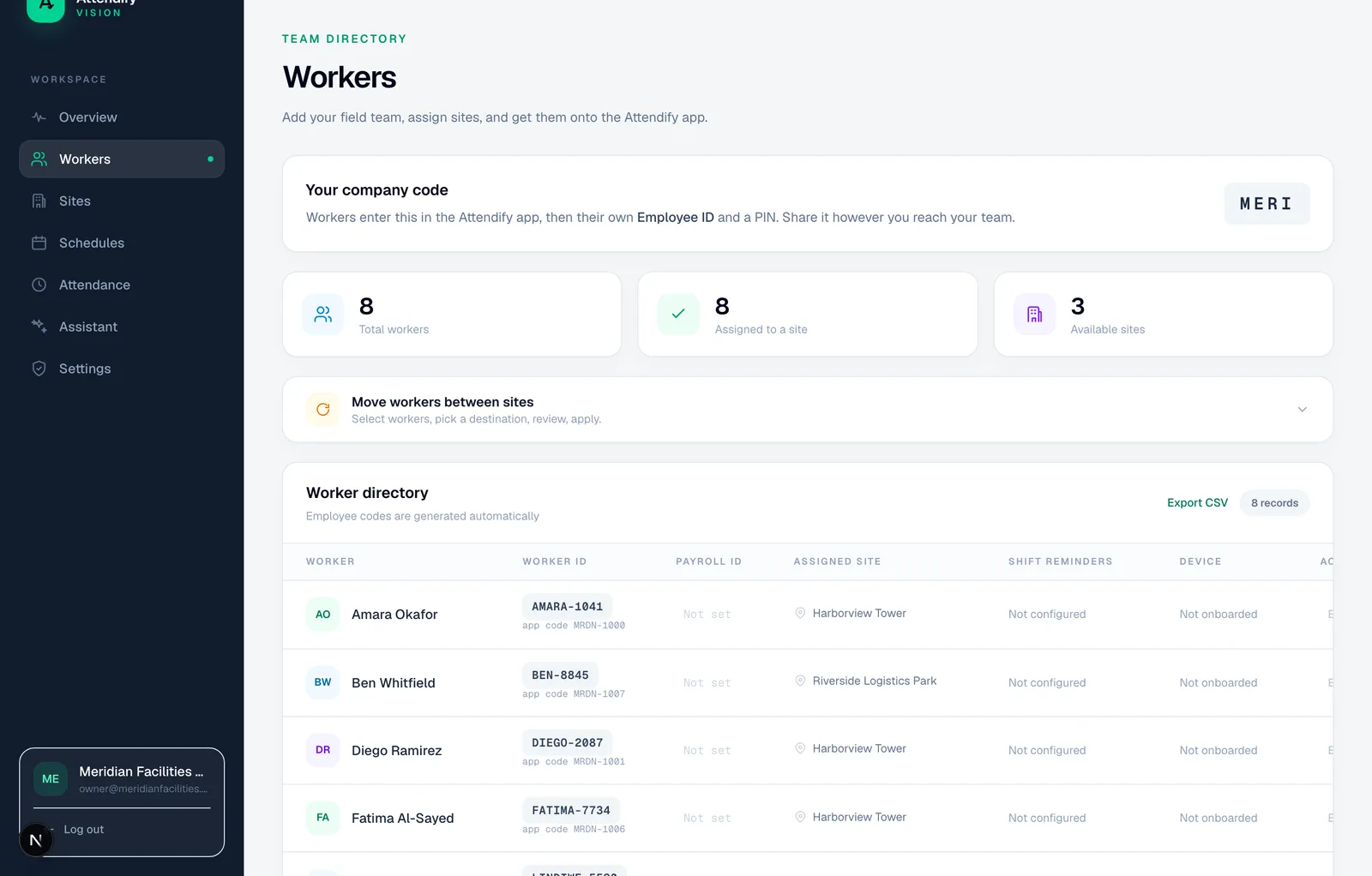
Bring your own employee identifiers
Companies often already have a worker list. Attendify can use a customer-supplied external employee ID, unique within the company, while preserving its own globally unique legacy worker code. Payroll IDs are separate and support downstream mapping.
Treat identifiers as text when preparing a spreadsheet. Leading zeros and case-insensitive matches matter. A name is useful for people, but is not a reliable unique key for repeat imports.
Inspect the proposed change
The importer recognizes supported columns, stages rows and compares them with existing workers using external IDs. The preview distinguishes creates, updates, unchanged rows and errors. Review recognized and ignored columns, row issues and the target workers before confirming an operation.
Scroll the table sideways to read all columns.
| Input example | What to review |
|---|---|
| Employee ID 0017 already exists | Is the proposed update for the intended person? |
| Two rows use the same external ID | Resolve the duplicate before treating them as two workers |
| A site name is unknown | The row may be staged without a site assignment |
| No external ID | Do not assume repeated imports can reliably match the existing worker |
These examples illustrate reconciliation decisions; they are not a guarantee that arbitrary HR spreadsheets can be imported without cleanup.
Prepare the site before the first punch
An imported worker without an assigned site is not ready for the normal site-based attendance flow. Create the needed sites first or assign workers after reviewing the import. Confirm company code, worker ID and device setup instructions before induction.
The guided setup also supports company structure and work-rule configuration. Importing workers is one step in readiness, not automatic proof that schedules, permissions and payroll mappings are correct.
Keep execution deliberate
Preview and execution are separate actions. The operations ledger records supported bulk changes, giving administrators a route to understand what was attempted and applied. Do not describe the importer as an automatic ERP synchronization, a full historical-attendance migration or a way to auto-create every organizational structure.
For an initial pilot, use a small fictional sample with a changed name, duplicate ID, missing payroll ID and unknown site. Check the diff and resulting records before using a production roster.